Learn why technical SEO is vital for SaaS marketing success. Get our step-by-step technical SEO audit checklist designed specifically for B2B SaaS websites.
Digital Gratified
SaaS SEO Experts
With over 30,000 SaaS companies competing globally, having great software alone won't guarantee visibility in search results. Your potential customers are searching for solutions right now, but if Google can't properly crawl and index your website, they'll never find you.
This is where technical SEO for SaaS becomes your competitive advantage. If you're still evaluating whether SEO is worth the investment for your specific situation, the breakdown of how important SEO is for SaaS businesses covers that first. (If you want to go deeper, technical SEO conferences offer hands-on workshops that articles alone can't match.)
Technical SEO is the foundation that determines whether your content marketing strategy succeeds or fails. You could have the most valuable blog posts and work with the best SaaS link building agency in your industry, but without solid technical fundamentals, your website remains invisible to search engines.
In this comprehensive guide, we'll cover everything you need to know about technical SEO strategies for SaaS companies, including a step-by-step framework for conducting a technical SEO audit for your B2B SaaS website.
What is Technical SEO for SaaS?
Technical SEO focuses on optimizing the behind-the-scenes elements of your website to help search engines discover, understand, and rank your content. For SaaS companies specifically, this means ensuring your product pages, feature documentation, blog content, and landing pages are all properly accessible to search engine crawlers.
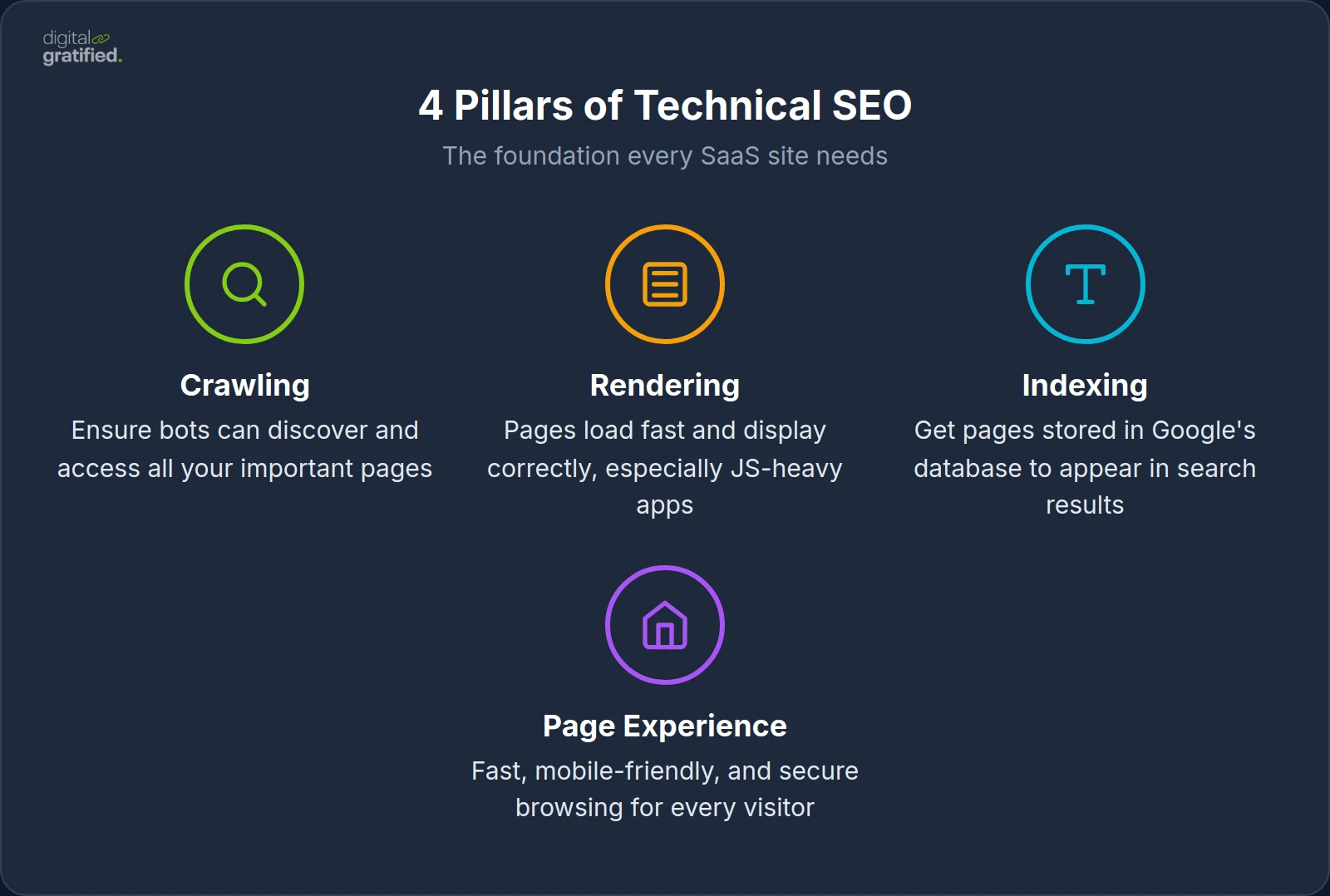
The four core pillars of technical SEO are:
Crawling – Ensuring search engine bots can find and access all your important pages
Rendering – Making sure your pages load quickly and display correctly, especially JavaScript-heavy SaaS applications
Indexing – Getting your pages stored in Google's database so they can appear in search results
Page Experience – Providing visitors with a fast, mobile-friendly, and secure browsing experience
Think of it this way: if your website were a retail store, technical SEO would be the foundation, electricity, and signage that makes everything function. Without it, customers can't find you, the lights don't work, and the doors won't open.
Why is Technical SEO Important for SaaS Startups?
The importance of technical SEO for SaaS startups cannot be overstated. Here's why it's essential for your growth:
1. Stand Out in a Fiercely Competitive Market
The SaaS industry is saturated. Whether you're in project management, CRM, marketing automation, or any other category, you're competing against dozens of well-funded companies for the same keywords.
Technical SEO gives you an edge by ensuring Google can efficiently crawl and understand your website. When competitors have slow sites, broken links, or indexing issues, your technically optimized website gains a significant advantage. This is why many SaaS companies partner with a specialized SaaS SEO agency to gain a competitive edge.
2. Maximize Your Content Investment
Most SaaS companies invest heavily in content marketing. Blog posts, case studies, whitepapers, and documentation all require significant resources to produce. (For a deeper dive into making this investment pay off, see our SaaS content marketing guide.)
But here's the problem: if Google can't index these pages, all that investment is wasted. Technical SEO ensures every piece of content you create has the opportunity to rank and drive organic traffic.
3. Improve User Experience and Conversion Rates
Technical SEO and user experience go hand in hand. Optimizations like faster page speed, mobile responsiveness, and logical site architecture don't just help rankings. They directly impact conversion rates.
Research shows that:
A 2-second delay in page load time increases bounce rates by 87%
53% of mobile users abandon sites that take longer than 3 seconds to load
Poor mobile experience causes 61% of users to leave and never return
4. Get Featured in AI Search Platforms
This is why technical SEO is vital for SaaS marketing in 2025 and beyond. Clean internal links, proper schema markup, and error-free pages make it easier for AI platforms like AI SEO for SaaS, Perplexity, and Google's AI Overview to cite your content.
As AI-powered search becomes more prevalent, websites with strong technical foundations are more likely to be referenced as authoritative sources.
5. Build a Sustainable Growth Engine
Unlike paid advertising that stops working the moment you stop paying, technical SEO creates compounding returns. Once your technical foundation is solid, every new piece of content you publish benefits from it automatically. Combined with strategic SaaS link building, you create a growth engine that compounds over time.
Common Technical SEO Challenges Unique to SaaS Websites
Before diving into the audit process, it's important to understand the specific technical challenges SaaS companies face:
JavaScript-Heavy Applications
Many SaaS websites rely heavily on JavaScript frameworks like React, Vue, or Angular. While these create great user experiences, they can cause serious crawling issues if not implemented correctly.
Google can render JavaScript, but it's resource-intensive and happens in a "second wave" of indexing. This means:
Content may take longer to appear in search results
Dynamic content might not be indexed at all
Links rendered via JavaScript may not pass full PageRank
Solution: Implement server-side rendering (SSR) or static site generation (SSG) for critical pages. Use dynamic rendering as a fallback for search engine bots.
Complex URL Structures from App Integration
SaaS websites often integrate their marketing sites with their actual applications, leading to complex URL structures with parameters, session IDs, and tracking codes that create duplicate content issues.
Internationalization Challenges
Many SaaS products serve global markets, requiring proper implementation of hreflang tags for different language versions and regional targeting. Incorrect implementation can cause the wrong language version to rank in specific countries, and it blunts international link building efforts by sending the authority those links earn to the wrong regional pages.
Frequent Product Updates
SaaS products evolve constantly, which means feature pages, documentation, and help content change frequently. This creates challenges with maintaining consistent URL structures and avoiding broken links.
How to Set Up a Technical SEO Audit for Your SaaS Site
Before implementing any optimizations, you need to understand your current situation. Here's a systematic approach to conducting a technical SEO audit for a B2B SaaS website:
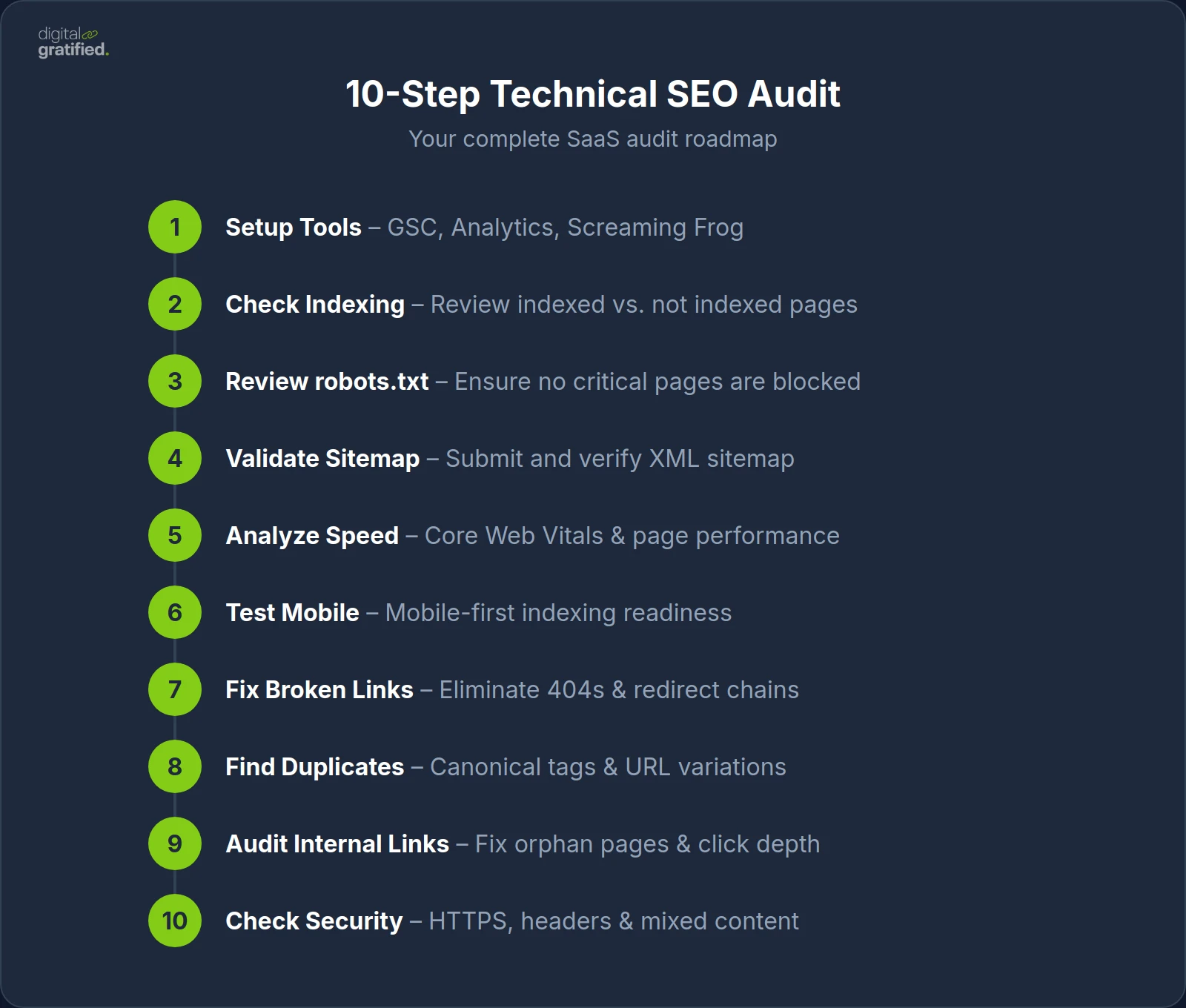
Step 1: Set Up Your Audit Tools
You'll need these essential tools:
Google Search Console (free) – For indexing data, crawl errors, and Core Web Vitals
Google Analytics (free) – For traffic and user behavior data
Screaming Frog (free up to 500 URLs) – For comprehensive site crawling
PageSpeed Insights (free) – For speed performance analysis
Optional but helpful:
Ahrefs or SEMrush for deeper analysis
GTmetrix for detailed speed reports
Chrome DevTools for JavaScript rendering checks
Step 2: Check Your Indexing Status
Start by understanding what Google can actually see:
Open Google Search Console
Navigate to "Pages" in the left menu
Review the "Indexed" vs "Not Indexed" breakdown
Click through to see why specific pages aren't indexed
Quick test: Type site:yourdomain.com in Google to see how many pages are indexed. Compare this to the total number of pages you expect to be indexed.
Pro tip: Pay special attention to these common non-indexed reasons:
Crawled - currently not indexed: Google found the page but didn't find it valuable enough. This often indicates thin content or duplicate content issues.
Discovered - not indexed: Google knows the page exists but hasn't crawled it yet. This can indicate crawl budget issues.
Blocked by robots.txt: Your robots.txt file is preventing access.
Step 3: Review Your robots.txt File
Your robots.txt file tells search engines which pages they can and cannot crawl. Access it at yourdomain.com/robots.txt and verify:
No important pages are blocked
Your sitemap is referenced
Product pages, blog posts, and landing pages are accessible
Login pages, admin areas, and user dashboards are blocked
Warning: A single misplaced line in robots.txt can hide your entire site from Google. Always test changes using Google Search Console's robots.txt tester before implementing.
Step 4: Validate Your XML Sitemap
Your sitemap is a roadmap that guides search engines to your most important pages:
Check if your sitemap exists at
yourdomain.com/sitemap.xmlSubmit it to Google Search Console under "Sitemaps"
Verify it includes all pages you want indexed
Ensure it excludes pages you don't want indexed (login pages, admin areas, etc.)
Check for sitemap errors in Search Console
Best practice for SaaS: Create separate sitemaps for different content types:
sitemap-pages.xmlfor static pagessitemap-blog.xmlfor blog postssitemap-docs.xmlfor documentationsitemap-index.xmlto reference all sub-sitemaps
Step 5: Analyze Site Speed and Core Web Vitals
Google uses Core Web Vitals as a ranking factor. Test your key pages using PageSpeed Insights and focus on:
Largest Contentful Paint (LCP) – Should be under 2.5 seconds
Interaction to Next Paint (INP) – Should be under 200 milliseconds (replaced FID in 2024)
Cumulative Layout Shift (CLS) – Should be under 0.1
SaaS-specific tip: Test your pricing page, homepage, and top blog posts individually. These high-traffic pages have the biggest impact on your overall Core Web Vitals score.
Step 6: Test Mobile Friendliness
Since Google uses mobile-first indexing, your mobile experience is critical:
Test on actual devices with different screen sizes
Check that forms are easy to complete on mobile
Ensure buttons and links are easily tappable (minimum 48x48 pixels)
Verify text is readable without zooming
Check that no horizontal scrolling is required
Step 7: Identify Broken Links and Redirects
Broken links waste crawl budget and hurt user experience:
Run a site crawl with Screaming Frog
Filter for 404 errors (broken pages)
Check for redirect chains (multiple redirects in sequence)
Look for redirect loops (infinite redirect cycles)
Identify and fix any 5xx server errors
Step 8: Find Duplicate Content Issues
Duplicate content confuses search engines and dilutes ranking potential:
Search for pages with identical or very similar content
Check for URL variations (www vs non-www, http vs https)
Identify parameter-based duplicates (e.g., /products vs /products?sort=price)
Implement canonical tags to specify preferred versions
Look for pagination issues creating duplicate titles/descriptions
Step 9: Audit Your Internal Linking Structure
Strong internal linking helps search engines understand your content hierarchy:
Identify orphan pages (pages with no internal links pointing to them)
Check click depth (important pages should be within 3 clicks of homepage)
Review anchor text distribution for natural variation
Ensure product pages link to related features and documentation
Step 10: Check Security and HTTPS
Security is both a ranking factor and a trust signal:
Verify your entire site loads over HTTPS
Check for mixed content warnings (HTTP resources on HTTPS pages)
Ensure proper redirects from HTTP to HTTPS
Review security headers (HSTS, X-Content-Type-Options, etc.)
Technical SEO Strategies for SaaS Companies
Now that you've audited your site, here are the key strategies to implement:
1. Optimize Your Site Architecture
A clear, logical site structure helps both users and search engines navigate your content:
Best practices:
Keep important pages within 3 clicks of the homepage
Use a flat hierarchy rather than deeply nested structures
Organize content into clear categories
Implement breadcrumb navigation
Create topic clusters with pillar pages and supporting content
Recommended SaaS site structure:
Homepage
├── Product/Features
│   ├── Feature 1
│   ├── Feature 2
│   └── Integrations
├── Solutions (by use case or industry)
├── Pricing
├── Resources
│   ├── Blog
│   ├── Case Studies
│   └── Documentation
└── Company
    ├── About
    └── Contact
2. Implement Clean URL Structures
URLs should be short, descriptive, and keyword-optimized:
Good: yourdomain.com/blog/technical-seo-saas-guide
Bad: yourdomain.com/blog/2024/01/15/article?id=12345&category=seo
Guidelines:
Use hyphens to separate words
Include target keywords naturally
Keep URLs under 75 characters
Avoid parameters when possible
Use lowercase letters only
3. Fix Page Speed Issues
For SaaS websites, speed optimization often requires:
Quick wins:
Compress images (use WebP format when possible)
Enable browser caching
Minimize CSS and JavaScript files
Use a Content Delivery Network (CDN)
Implement lazy loading for images and videos
Deeper fixes:
Optimize server response time (aim for under 200ms TTFB)
Reduce third-party scripts (analytics, chat widgets, etc.)
Implement critical CSS inlining
Consider your hosting infrastructure
Use HTTP/2 or HTTP/3 protocols
4. Strengthen Internal Linking
Internal links help search engines understand content relationships and distribute authority:
Link from high-authority pages to newer content
Use descriptive anchor text (avoid "click here")
Create content hubs around key topics
Ensure no orphan pages (pages with no internal links)
Link related blog posts to product pages when relevant
A strong internal linking strategy works hand-in-hand with your external our SaaS link building playbook efforts. Many SaaS companies complement their technical SEO with white label link building services that agencies and freelancers can resell to their SaaS clients under their own brand.
5. Implement Structured Data (Schema Markup)
Schema markup helps search engines understand your content and can enable rich results:
Useful schema types for SaaS:
Organization schema (for your company)
FAQ schema (for frequently asked questions)
Article schema (for blog posts)
Software Application schema (for your product)
Review schema (for testimonials)
HowTo schema (for tutorials and guides)
BreadcrumbList schema (for navigation)
Implementation tip: Use Google's Rich Results Test to validate your structured data before deploying.
6. Optimize for Featured Snippets and AI Overview
Position your content to capture featured snippets and appear in AI-generated answers:
Use clear question-and-answer formats
Include bulleted and numbered lists
Create comprehensive tables when relevant
Write concise, direct definitions (40-60 words for paragraph snippets)
Structure content with logical heading hierarchy (H2 → H3 → H4)
Include a table of contents for longer articles
7. Handle JavaScript Rendering Properly
For SaaS sites with JavaScript-heavy frontends:
Implement server-side rendering (SSR) for critical pages
Use dynamic rendering for search engine bots
Test JavaScript rendering with Google's URL Inspection tool
Ensure important content isn't hidden behind user interactions
Pre-render static content where possible
8. Implement Proper Internationalization
If your SaaS serves multiple countries or languages:
Use hreflang tags correctly to specify language and region
Implement consistent URL structures (/en/, /fr/, etc.)
Create a self-referencing hreflang on each page
Include an x-default hreflang for your primary version
Ensure all hreflang tags are reciprocal
Advanced Technical SEO Tactics for SaaS
Once you've covered the fundamentals, consider these advanced techniques:
Log File Analysis
Analyzing your server log files reveals exactly how search engines crawl your site:
Identify which pages Google crawls most frequently
Find pages that aren't being crawled at all
Detect crawl budget waste on low-value pages
Understand crawl patterns and timing
Tools like Screaming Frog Log Analyzer or custom scripts can help parse this data.
Edge SEO
Implement SEO changes at the CDN level for faster deployment:
Add or modify meta tags without touching your codebase
Implement redirects at the edge
A/B test SEO changes more easily
Add structured data dynamically
Crawl Budget Optimization
For larger SaaS sites with thousands of pages:
Block low-value pages from crawling (faceted navigation, internal search results)
Prioritize important pages in your XML sitemap
Fix crawl traps that waste bot resources
Monitor crawl stats in Google Search Console
Technical SEO Audit Checklist for B2B SaaS Websites
Use this checklist to ensure comprehensive coverage:
Crawling & Indexing
☐ Google Search Console is set up and verified
☐ XML sitemap is created and submitted
☐ robots.txt allows access to important pages
☐ No critical pages have noindex tags
☐ All important pages are indexed
☐ JavaScript content is rendering properly
☐ Crawl errors are identified and fixed
Site Speed & Performance
☐ Core Web Vitals pass (LCP < 2.5s, INP < 200ms, CLS < 0.1)
☐ Images are compressed and optimized
☐ Browser caching is enabled
☐ CSS and JavaScript are minified
☐ CDN is implemented
☐ Server response time is under 200ms
Mobile Optimization
☐ Site is fully responsive
☐ Text is readable without zooming
☐ Buttons and links are easily tappable
☐ Forms work properly on mobile
☐ No horizontal scrolling required
Site Architecture & URLs
☐ URL structure is clean and descriptive
☐ Important pages are within 3 clicks of homepage
☐ Breadcrumb navigation is implemented
☐ Internal linking structure is optimized
☐ No orphan pages exist
Content & Duplicate Issues
☐ Canonical tags are implemented correctly
☐ No duplicate content issues
☐ Meta titles and descriptions are unique
☐ Thin content pages are improved or removed
Security & Technical Health
☐ HTTPS is implemented site-wide
☐ No mixed content warnings
☐ Security headers are configured
☐ No broken links (404 errors)
☐ Redirect chains are minimized
Structured Data & Rich Results
☐ Organization schema is implemented
☐ Article schema on blog posts
☐ FAQ schema where appropriate
☐ Breadcrumb schema is working
☐ Rich results are appearing in search
Measuring Technical SEO Success
Track these metrics to measure the impact of your technical SEO improvements:
Indexed pages: Are more of your pages being indexed?
Crawl stats: Is Google crawling your site more efficiently?
Core Web Vitals: Are your speed metrics improving?
Organic traffic: Is search traffic increasing?
Rankings: Are your target keywords moving up?
Click-through rate: Are more people clicking from search results?
Crawl errors: Are errors decreasing over time?
When to Seek Expert Help
While many technical SEO tasks can be handled in-house, some situations warrant professional assistance:
Major site migrations or redesigns
Complex JavaScript rendering issues
Enterprise-level sites with millions of pages
International SEO with multiple languages
Recovering from algorithm penalties
Working with an experienced SaaS SEO specialist can help you avoid costly mistakes and accelerate your organic growth. The right partner will not only fix technical issues but also align your technical SEO with your broader link building and content strategy.
Conclusion: Technical SEO is Your Competitive Foundation
Technical SEO might not be as glamorous as content creation or link building, but it's the foundation upon which all your other SEO efforts rest. Without proper technical optimization, even the best content and strongest backlinks won't deliver the results you're looking for.
For SaaS companies, the stakes are even higher. Your potential customers are actively searching for solutions, and you need every advantage to stand out in a crowded market.
Start with a comprehensive audit using the checklist in this guide, prioritize fixes based on impact, and establish ongoing monitoring to catch issues before they hurt your rankings. Technical SEO isn't a one-time project: it's an ongoing commitment to maintaining a healthy, high-performing website, which is why most SaaS companies eventually formalise an SEO team structure with a dedicated technical owner.
Remember: every technical improvement you make creates compounding returns. A faster site, better crawlability, and stronger architecture benefit every piece of content you create, every backlink you earn, and every visitor who lands on your site.
The investment you make in technical SEO today will pay dividends for years to come.
Let's Scale Your SaaS Together
Get a custom SEO and link building strategy tailored for your SaaS business.
Get SEO insights that actually move rankings
Link building tactics, case studies, and SaaS SEO playbooks. No fluff, no spam.
You're subscribed!
SEO and link building insights, straight to your inbox.